Wi-Fi coverage survey for Android
One room is always worse. Sonar tells you which one.
Stand where the Wi-Fi feels slow and press measure. Sonar reads the radio, times how quickly your router answers, and turns the wait into a single score out of 100. Do that in a few places and you have a survey: your rooms in order, worst first.
The workflow
Measure, compare, send the proof.
Three steps, ten seconds to a minute each. Nothing to set up and nothing to grant.
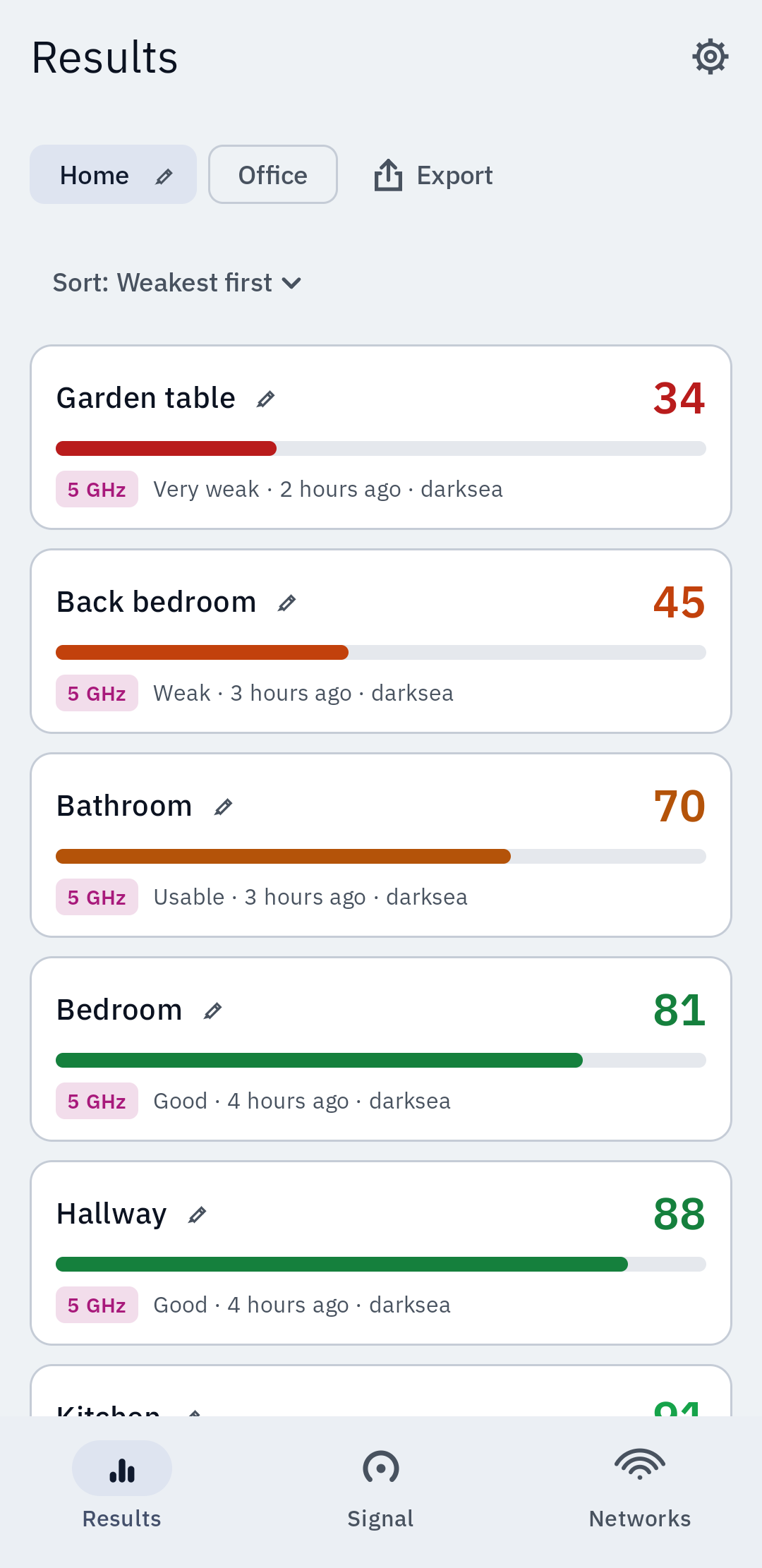
Measure where you sit
Stand in the room that drops calls and press measure. Sonar samples the link for as long as you choose, from ten seconds to a minute, and records the band it was on.
Compare the rooms
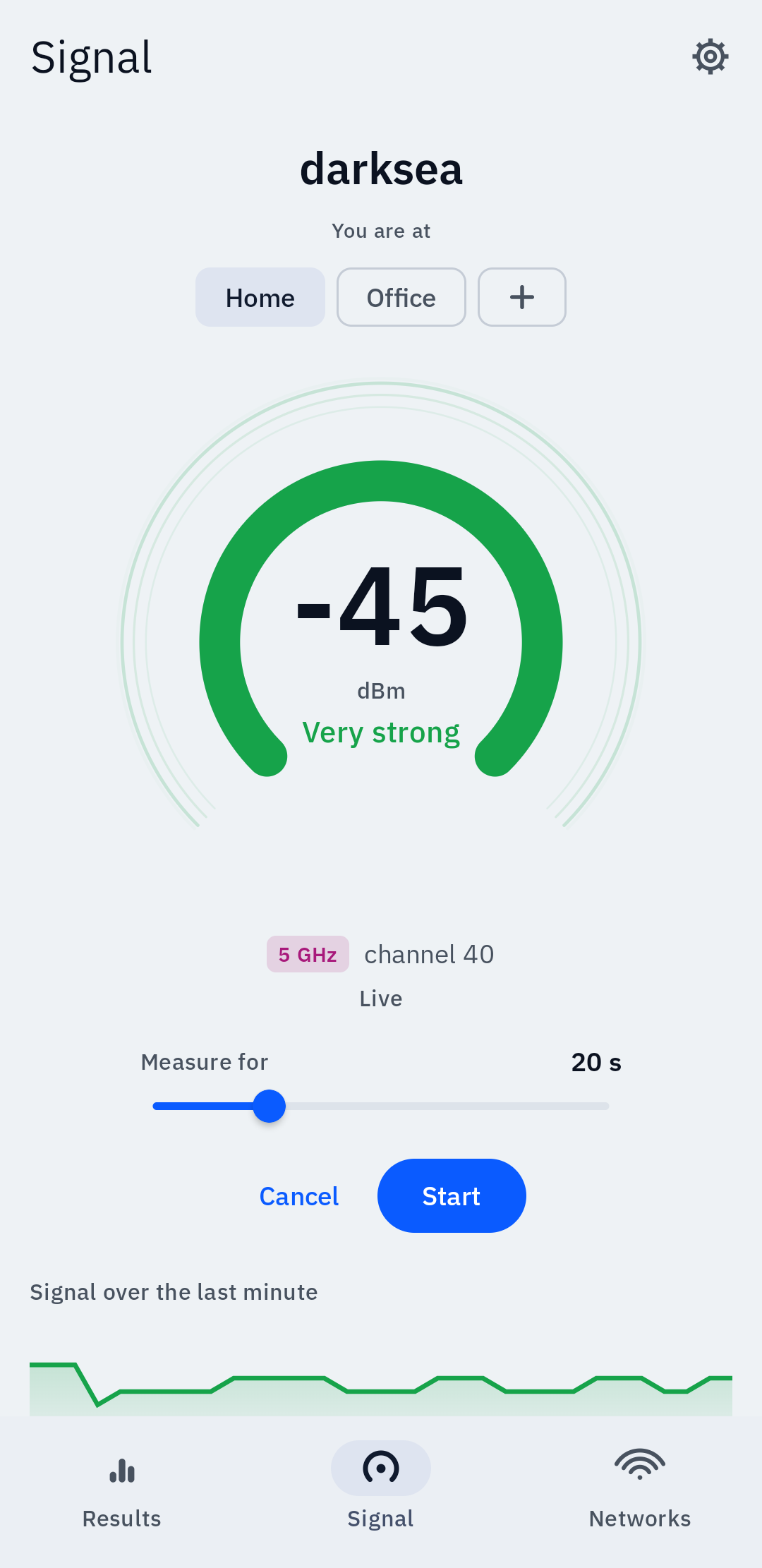
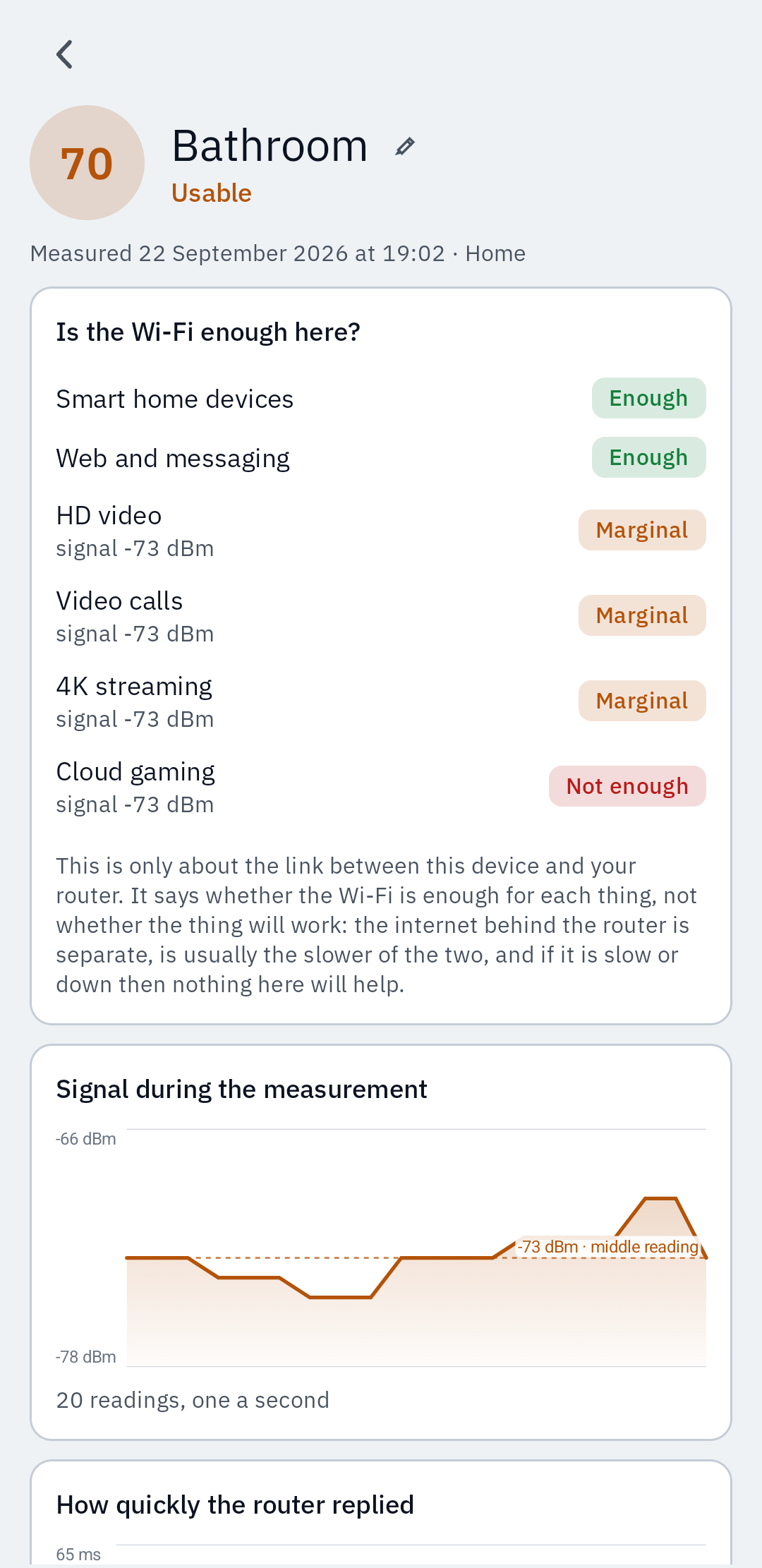
Every spot gets a score out of 100 and a place to belong to: home, the office, anywhere else. The list sorts weakest first, because the weakest one is the reason you opened the app.
Send somebody the proof
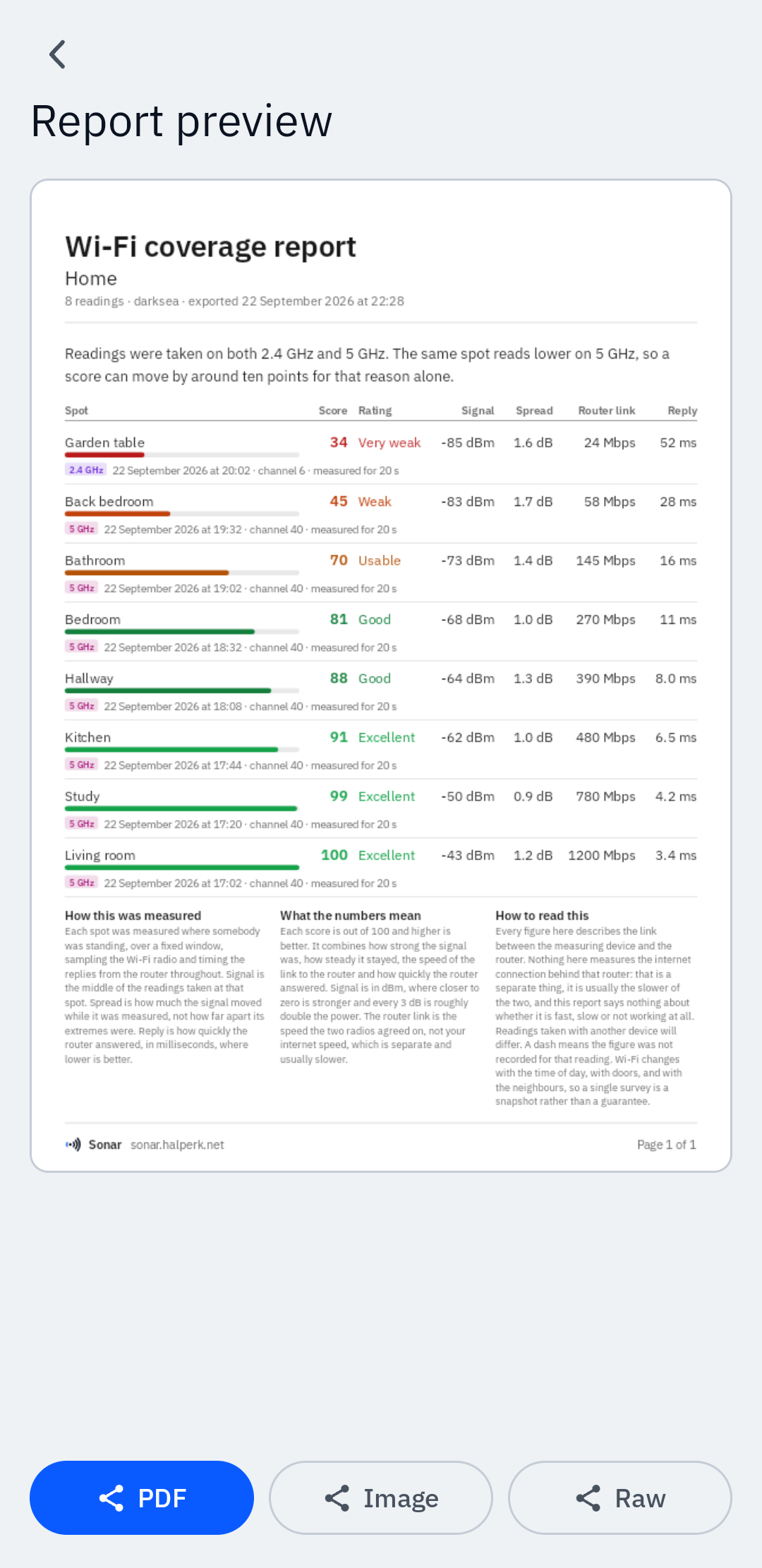
Export an A4 PDF with every reading, every figure behind it and the conditions it was taken in. No watermark, no cap on how many readings go in it.
The score
A number you can check, not one you have to trust.
Four measurements go into it, and all four are shown next to it. Out of 100, and higher is better.
What the score is made of
The same four rows the app shows under every reading.
- Signal−73 dBm
- Response1.0% lost
- Steadinessvery steady
- Router link145 Mbps
What you get
The answer, and every number behind it.
A score for every spot
Out of 100, from the signal strength, how steady it stayed, the speed the two radios agreed on and how quickly the router replied.
A live meter in dBm
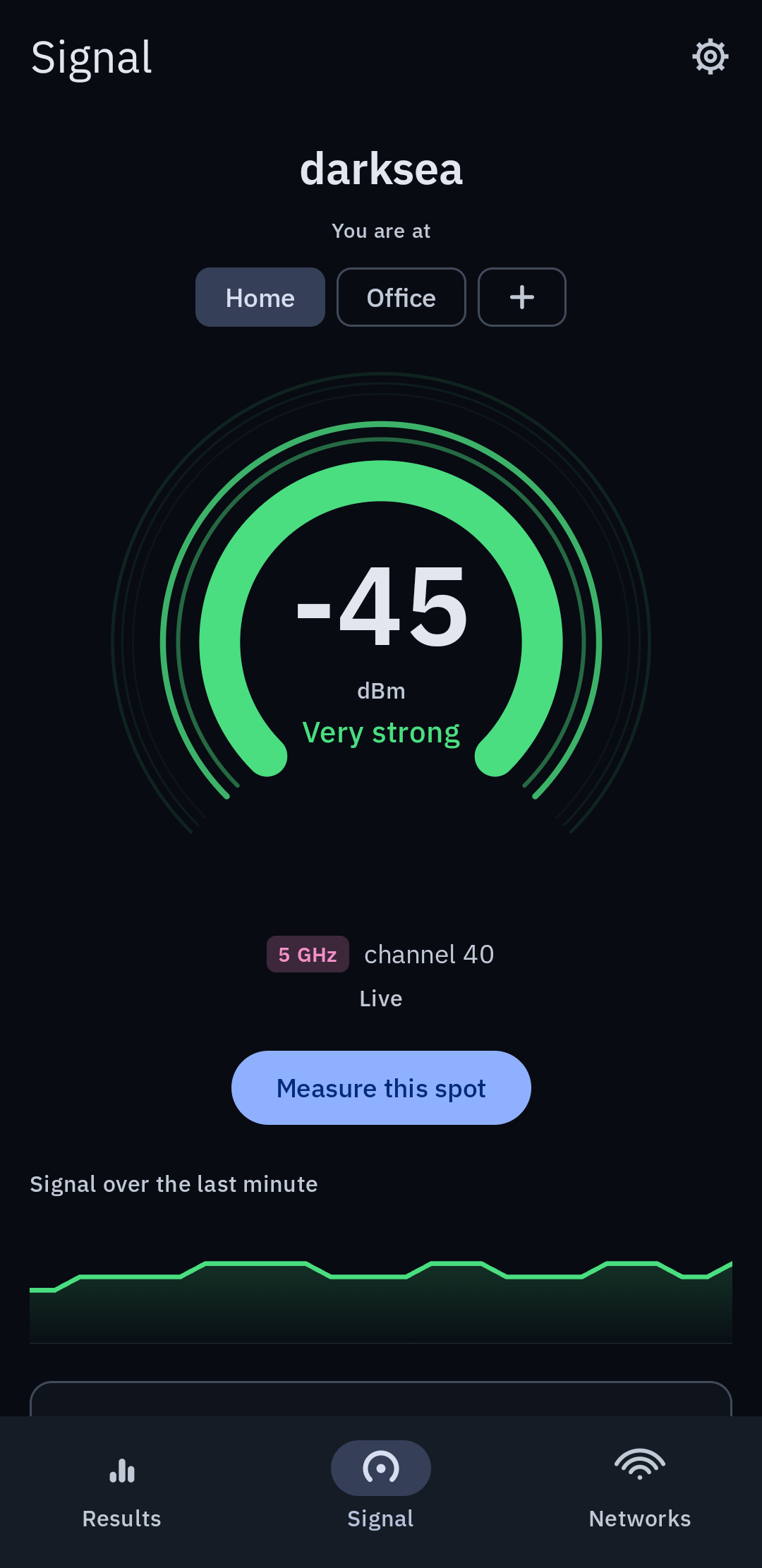
Signal strength, the band, the channel and the link rate, read once a second. If a reading goes stale the app says so rather than showing you an old number.
A plain answer
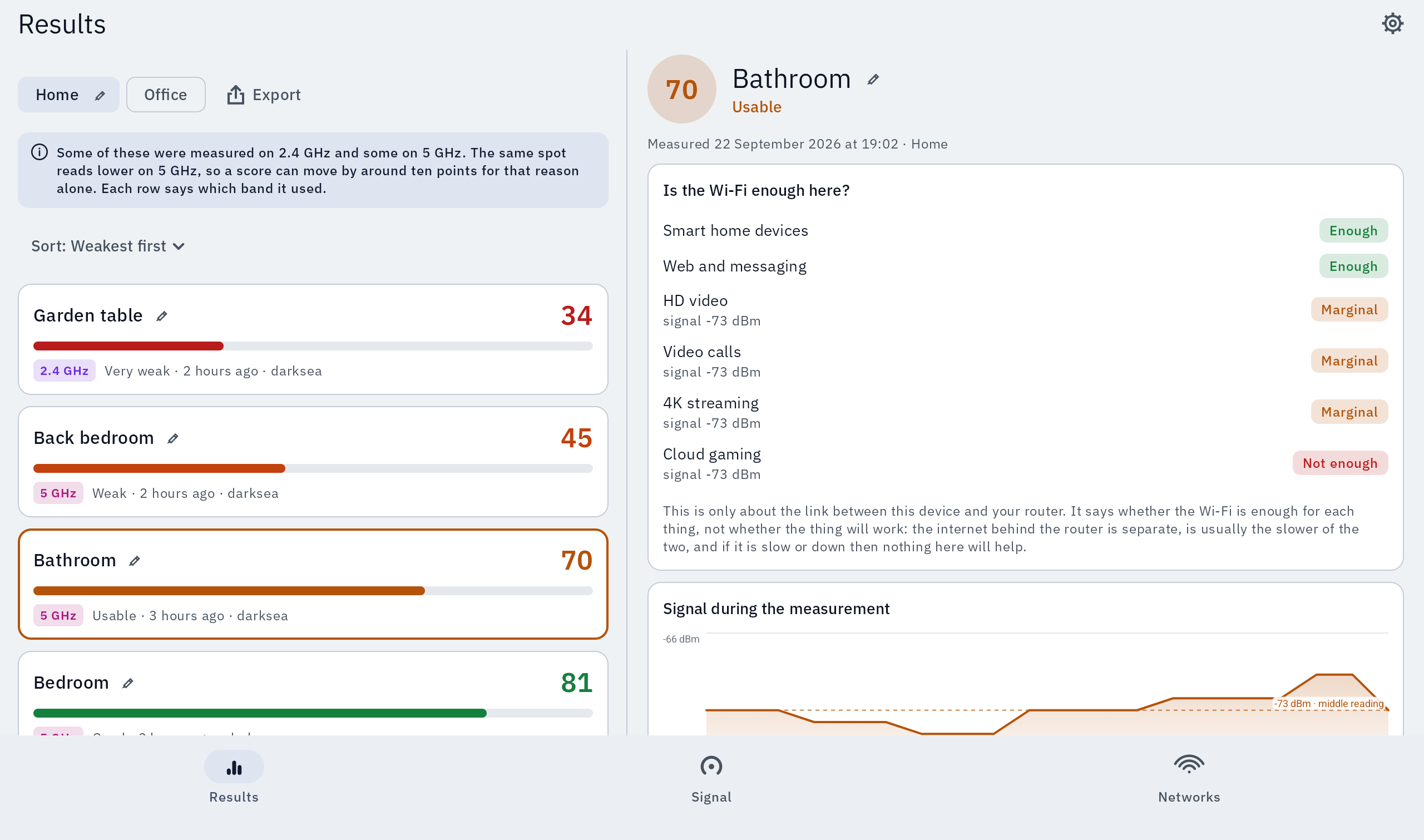
Is the Wi-Fi here enough for a video call, HD video, 4K or cloud gaming? Each one gets a yes, a marginal or a no, for this spot.
An A4 report
Every reading, ranked, with the conditions each was taken in. PDF for a landlord or a provider, CSV if you would rather do your own sums.
The networks around you
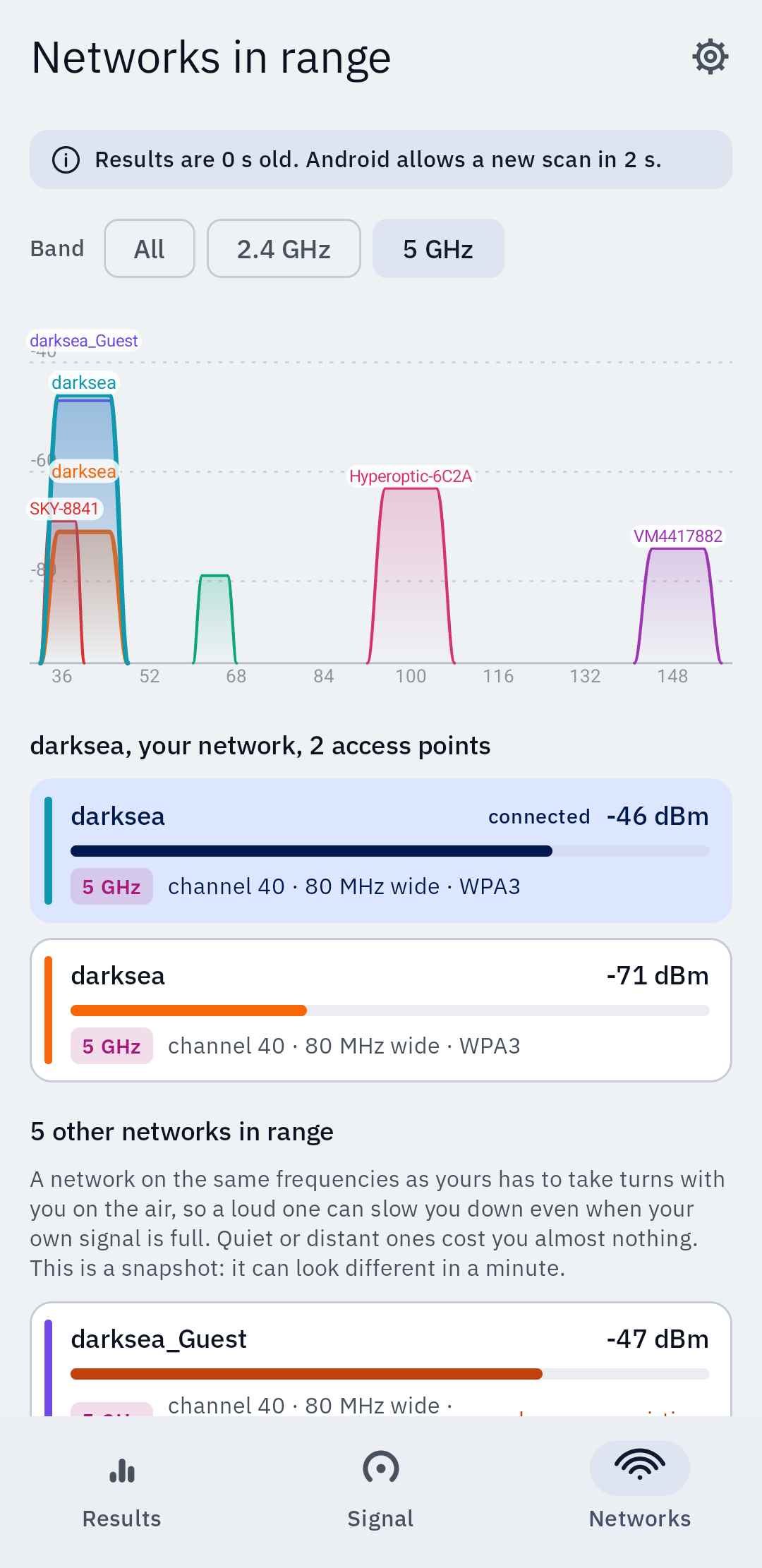
A channel graph of what else is in range and how wide it sits, so you can see who is sharing your frequencies.
No prompt to use it
The meter, the survey, the score and the report all work with every permission switched off. Location is optional and only adds network names and the nearby list.
Screens
Clear on a phone, two panes on a tablet.
What it does not do.
Sonar measures the link between your device and your router. It is not an internet speed test, and it cannot tell you whether the line into your building is fast, slow or down. If your broadband is the problem, a strong Wi-Fi score will not save you, and Sonar will not pretend otherwise.
It does not change any setting on your router and it will not make your Wi-Fi faster by itself. It tells you where the problem is so that you can.
Nothing leaves your device. There is no account, no analytics, no tracking and no server. Readings are written to the app's own private storage. The only way a measurement goes anywhere is a report you share yourself.
Free, with nothing sold, shown or uploaded.
Android 10 and later. Phones and tablets.